
Avira Review: Quick Expert Summary
Avira provides a powerful cloud-based antivirus scanner, plus a range of really good additional security tools for Windows, macOS, Android, and iOS users, all for an excellent value. Its anti-malware engine performed extremely well in my tests, blocking and removing 100% of my malware samples, including all viruses, spyware, and ransomware. In fact, the anti-malware scanner is so good that it’s been licensed out to numerous antivirus competitors, including TotalAV.
Avira also includes the following features:
- Web protection.
- Firewall.
- Performance optimization tools.
- Virtual private network (VPN).
- Password manager.
- Game booster.
- And a lot more…
Most of Avira’s features are top-notch — the performance optimization tools are excellent at cleaning and speeding up a device, the password manager is comparable to the best standalone programs, and the web protection is better than Chrome or Firefox’s built-in web protections. However, the VPN doesn’t consistently work with popular streaming sites, and I would like to see Avira offer comprehensive parental controls like Norton does.
That said, Avira offers one of the better free plans on the market, with real-time protection, ransomware protection, a password manager, and other features that few other companies provide for free in 2026. And Avira’s paid plans are among the cheapest on the market — plus, they all come with a risk-free 60-day money-back guarantee.
Avira Full Review — Perfect Malware Detection Rates + Excellent Free Plan
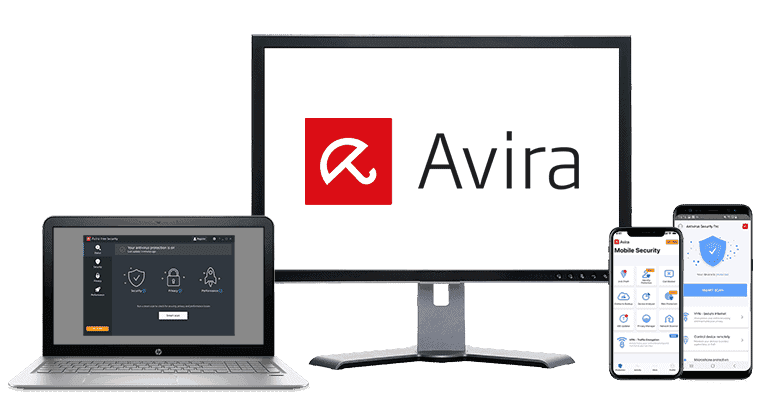
Avira delivers strong all-round protection and comes with a range of genuinely useful tools that make it more than just a malware scanner. Its apps are clean, beginner-friendly, and available on every major platform, so it’s a good option whether you’re securing a single device or an entire household.
The free plan is one of the most generous on the market, and the paid plans add extra privacy, security, and optimization features at a lower price than many top competitors.

Avira Plans & Pricing — Great Value Plans & Generous Money-Back Guarantee
Avira has 4 annual plans available:
- Free Security.
- Antivirus Pro.
- Internet Security.
- Prime.
The best plan is Prime, a feature-rich plan that covers up to 5 devices for a very reasonable price. I’m not a big fan of the Antivirus Pro and Internet Security plans, especially because they only cover a single device. All of Avira’s annual plans come with a 60-day money-back guarantee, and monthly plans offer 14 days. Avira also offers a 60-day free trial of Prime, but you’ll need to provide your payment details to unlock it.
Here’s a quick overview of all of Avira’s plans:
Avira Free Security — Excellent Free Antivirus
Avira’s free plan includes:
- Antivirus scanner.
- Real-time protection.
- Ransomware protection.
- Browser safety (browser extension).
- Avira Secure Browser.
- Phantom VPN (1 GB data per month with registration).
- Password manager (separate download).
- Device optimization (basic).
- Software and driver updater (basic).
- File shredder.
- Privacy optimizer.
Avira’s free plan offers the same powerful antivirus engine as the premium version. It protects against all malware, including ransomware. It even comes with real-time protection that blocks malware before it can deploy (most antiviruses only include this with premium products). You also get Avira’s Browser Safety extension, which provides anti-phishing protection, ad blocking, and anti-tracking, as well as the Avira Secure Browser.
The VPN is very limited in terms of data — you can install it without creating an Avira account, but you’re limited to 500 MB of data per month if you do. You can increase this to 1 GB by giving Avira your email address, but even that is easy to use up in a few hours.
Plus, the free VPN only allows access to the nearest server location, meaning you can’t choose other server options. Even if you don’t want to pay, you can still find better VPNs out there (ProtonVPN, for example, provides unlimited data with its free plan).
Avira Free Security is one of the best free antivirus offerings on the market, but it lacks a lot of features that Avira’s paid plans include, and you’ll have to rely on the knowledge base if you encounter any technical problems. It does come with a VPN, password manager, and optimization tools, but all of these are pretty basic when compared to the premium versions.
Avira Antivirus Pro — Decent, But Not Worth the Money
Avira Antivirus Pro costs $26.99 / year, and subscribers get access to all the features of the free plan on 1 device, plus:
- Email protection.
- Integrated web protection.
- Firewall.
- Email and phone customer support.
- Behavior-based ransomware detection.
Personally, I don’t think Antivirus Pro offers enough extra features to justify the price. But if you already have a premium password manager, want the integrated web protection, and don’t need the optimization tools, it’s worth considering.
Avira Internet Security — More Features for a Good Price
Avira’s Internet Security package costs $34.99 / year for 1 device and includes all the tools of Antivirus Pro. It also has:
- Premium password manager.
- Premium software and driver updater.
I like the Pro version of Avira’s password manager, which includes data breach monitoring and password vault auditing features — but it’s not as good as premium password managers like Dashlane and Keeper. The optimization tools (namely, a one-click software and driver updater) are also a step up from what you get with Antivirus Pro.
But I don’t think these two features make Avira Internet Security a good value. You could easily just download Avira’s free plan and get a good third-party password manager for a better price. However, users who want an all-in-one antivirus and premium password manager with some good additional security features can give Avira Internet Security a look.
Avira Prime — The Best Avira Package Available
Avira’s Prime package costs $59.99 / year for coverage on 5 devices and includes all of the previously mentioned features. It also has:
- Unlimited-data VPN.
- Premium optimization and cleanup tools.
- Game Booster.
- VIP customer support.
- Coverage across 5 devices.
This package is a really good value. It adds great optimization features, including one of the best junk cleaners out there. You also get an unlimited-data VPN that might not be as good as Norton’s best plans have (like live dark web monitoring, comprehensive parental controls, and identity theft protections), but the price is very good.
Overall, Avira Prime is Avira’s best value plan — you get a ton of great features for a very competitive price.
Avira Security Features — Great Features (With Some of the Best Optimization Tools Available)
Antivirus Scanner — 100% Malware Detection Rates + Check Your Computer for Vulnerabilities

Avira has a powerful cloud-based antivirus scanner that compares files against a large malware directory and uses heuristics to detect zero-day threats. The cloud-based scanner offloads the CPU-intensive process of analyzing your files to a server in the cloud, allowing Avira to use the most advanced scanning tools without slowing down user devices. Because of its effectiveness against all types of malware, Avira’s scanning technology has been licensed to numerous antivirus vendors, including TotalAV.

Avira detected 100% of malware files in my tests, which is very impressive — this included ransomware, trojans, spyware, keylogging malware, rootkits, and more. Only a few competitors, like Norton and Bitdefender, earned perfect scores in our malware testing. The full system scan took just over an hour, and I didn’t experience any noticeable slowdown on my device.
I really like the variety of scans Avira offers, which allows users to schedule shorter scans for specific areas of interest. In addition to a full system scan and quick scan, Avira includes the following scans:
- Smart Scan — Quick scan for multiple security and performance issues affecting your device.
- Full system scan — Deep scan of your entire device and all files.
- Quick scan — Fast scan of common malware locations.
- Removable drive scan — Scans USBs and external drives for threats.
- Active process scan — Checks running apps and background processes for malware.
- Windows system scan — Scans core Windows areas like system files and registry.
Avira’s Smart Scan is really useful, searching for malware, network security issues, out-of-date software, privacy vulnerabilities, and device performance concerns — it’s basically an all-in-one malware scanner, system optimizer, and network security monitor.

Within a few minutes, it found 21 privacy settings that could compromise my data security, including permissions that gave apps unnecessary access to all my data. Even though I regularly clean my PC, the Smart Scan found over 1 GB of junk files, 10 outdated apps, and 3 apps slowing down my computer’s startup. Avira also makes it easy to resolve any issues the Smart Scan finds. By clicking on Fix issues, Avira updates apps, clears junk files, and reconfigures settings to address privacy concerns.
The other specialized scans could come in handy for a variety of reasons. These include a removable drive scan, an active process scan, and a Windows processes scan. It can be a real time saver for knowledgeable users. However, most will want to use the full system scan or Smart Scan tools to analyze all these areas simultaneously (mainly because many advanced malware files can duplicate themselves and hide in different parts of a user’s system).
Overall, Avira’s anti-malware scanner is one of the best on the market — it’s fast, it doesn’t cause system slowdown, and it’s excellent at detecting and blocking all types of malware.
Web Protection — Blocks Dangerous Websites

Avira has several features designed to keep you safe online. The premium apps come with integrated tools for blocking dangerous websites, but there’s also a free browser extension that does the same thing. Both tools blocked most of the phishing sites I tested them against, including several that Chrome’s built-in protections missed.
The free extension (Browser Safety) is available on Firefox. In addition to blocking phishing sites, it blocks trackers. There isn’t an integrated ad blocker, but Avira’s Safe Shopping extension does that job pretty well.
Browser Safety’s exploit protection isn’t great. It failed to block several sensitive exploit attacks in my tests (by comparison, Bitdefender’s web protection feature detected 100% of the exploit attacks in my testing). Not having an Edge extension is also a big deal, since Edge’s widely used and built into most Windows devices. The web protection included with the premium antivirus did a better job handling exploit attacks (though it still missed a few).
The major problem with Browser Safety is that it can cause severe incompatibility issues with Google Chrome. One issue I ran into was that it would block an unsafe website but then display it as safe in the extension. I also had (but couldn’t replicate) a visual glitch when it blocked a website but took me to an all-white screen. Depending on your device, it can also crash Chrome entirely! Fortunately, the web protection tools included with the antivirus app don’t suffer from any of these problems.
Avira Prime offers much stronger web protection than the free Browser Safety extension. It includes HTTPS scanning, which inspects encrypted traffic and blocks malicious sites before they load, as well as domain-based controls, which let you block unsafe domains or allowlist trusted ones. It also has a Trusted Apps feature that prevents approved applications from being scanned or blocked. These tools provide more reliable phishing and exploit protection than the free extension and avoid the glitches I experienced in Chrome.
Avira also includes a free, secure browser with built-in anti-phishing, anti-malware, and tracker blocking. It combines most of Avira’s web protection tools in one place, and while it isn’t as feature-rich as dedicated secure browsers, it’s a useful option if you prefer an integrated experience.
Overall, Avira’s web protection is pretty good. The free extension is buggy but still better at keeping you safe than Chrome or Firefox. The desktop app (only available on Prime) is much better in this area (though it could be improved when it comes to blocking exploit attacks).
Firewall — Simple, Intuitive Firewall to Block Network Exploits
Avira’s firewall is simple but effective. It uses a unique algorithm to prevent network intrusions and notifies you if an attempt is made. Its exploit protection consistently blocked network intrusions during my tests, even catching a few that my Windows firewall missed.
It was easy to set rules for each app on my computer. It displayed a list of my apps alongside trust levels for each app and let me toggle which apps I wanted to block or unblock. I could also use the Intruder Protection section to allow some IP addresses to connect to my network while blocking most.

It’s not bad, but it lacks customization options. With Norton, for example, you can toggle SSL protection, security protocols, ARP and DNS spoofing protection, and more. I also wish Avira provided more information about how the firewall works. I found myself wondering why its algorithm blocks certain apps and couldn’t find answers to simple questions about its security protocol. Additionally, firewall controls are only included in the paid plans — the free version uses Windows Firewall for network filtering instead.
Overall, though, it’s a simple firewall with an intuitive interface. It’s easy to set unique rules or allow a specific IP address to connect to your network.
Device Optimization Tools — Some of the Best Optimization Tools in 2026

Avira’s system optimization tools are really good — they’re easy to use, can clear up space on your system, and include useful metrics to help users chart their system’s performance over time. Avira’s main device optimization tools include:
- PC junk file cleaner.
- Duplicate file finder.
- Startup optimizer.
- Driver updater.
- Battery usage manager.
- Game Booster.
The PC junk file cleaner detects junk and unused files and folders. Avira found over 26 GB of junk files clogging up my hard drive during my tests. It also flagged certain files and folders I might have wanted to keep, allowing me to choose whether or not I wanted to delete them. All these features combined make Avira one of the best PC tune-up tools on the market. Only the Prime package gets you all of Avira’s performance-enhancing tools, but even the free version gets you some basic optimization features.
I checked out the duplicate file finder, which cleared up about 100 MB of duplicate documents and downloads on my computer. You can choose which files and drives you want to scan, and it only took a few minutes to scan through my whole system.
The startup optimizer shows which programs are slowing down your PC’s boot time, allowing you to stop the programs from booting on startup or remove them altogether. I thought my startup time was already optimized, but Avira still made it boot about 15 seconds faster.
Users with significantly slower boot times can opt for a Hyper Boost, where Avira asks you to reboot your device 5 times to analyze and optimize your boot sequence. This Hyper Boost is time-consuming but useful for anybody struggling with a buggy boot sequence. Another thing I like about the startup optimizer is that it keeps track of a PC’s load time and displays the data on an easy-to-read graph.

I was also pretty impressed with Avira’s updater tool. It scanned my computer and notified me which programs and drivers were outdated and potential security risks. I love that the premium version of this tool automates the whole process. It’s a really useful security feature that can ensure your device is protected from the majority of known exploit attacks.
The battery usage manager isn’t very impressive, though — it can put your system into a low power mode, which dims your screen and prevents automatic updates, but it doesn’t track which apps or processes are taking up your battery life, like Android and iOS do for mobile users.
The Game Booster is a neat tool that closes background applications, stops unnecessary services, and optimizes network settings to improve CPU performance during high-performance gaming. In my testing, I noticed a noticeable performance improvement when using Avira’s Game Booster, especially in online games like Call of Duty, which often experience slowdowns due to network connectivity issues. I had less lag and none of the intermittent slowdown I frequently see when playing games online.
While I really like Avira’s gaming features, I still think Norton is the best antivirus for gamers. By reallocating system processes, Norton made my games run more efficiently. In fact, Norton’s Game Optimizer is the only tool on the market that has actually allowed me to increase my graphics settings and frame rates while gaming.
But overall, I’m really happy with Avira’s device optimization features — they’re some of the most advanced system tune-up tools I’ve tested.

Virtual Private Network (VPN) — Encrypt Your Data Without Slowdown (Servers in 35+ Countries)

Avira’s VPN (called Avira Phantom VPN) provides good security, a decent server network, fast speeds, and a no-logs policy — but it doesn’t provide consistent access to streaming sites.
Phantom VPN also has:
- 256-bit AES encryption. All user info is protected with unbreakable encryption.
- A strict no-logging policy. Avira doesn’t keep logs of the sites you visit or the files you download.
- DNS leak protection. Phantom VPN supports IPv4 and IPv6 traffic.
- Multiple server locations. 1,400 server locations in 35+ countries, including state-specific locations in the USA (the free version only lets you connect to the closest server).
- P2P file sharing. Phantom VPN supports torrenting.
- Kill switch. Automatically blocks internet connection when the VPN is disconnected (Windows only).

Phantom VPN supports unlimited simultaneous connections, which is great. However, Avira’s VPN can’t be installed on routers, game consoles, or smart TVs, which is a downside for people looking to protect all devices in their household. Standalone competitors like ExpressVPN can be installed on all devices.
Unfortunately, Avira’s VPN doesn’t work well with popular streaming sites. I could occasionally get it to work with Netflix but never had any luck with Amazon Prime or Disney+. If you’re looking for a fast VPN with good streaming capabilities, I recommend standalone VPNs like ExpressVPN or ProtonVPN. That said, it supports P2P traffic and works with top torrenting clients.
Phantom VPN also lacks some advanced features that you’ll find in the best standalone VPNs. There’s no split-tunneling, Smart DNS, obfuscation to bypass restrictive networks, or multi-hop routing, and you can’t manually switch VPN protocols. Server selection is also limited since many countries don’t offer city-level options, and the free plan doesn’t allow you to choose a server at all, automatically connecting you to the nearest location.
You can get Avira’s premium VPN in the Prime package. Lower-tier plans are limited to 500 MB of browsing data per month (or 1 GB / month if you register with an email address) and lack the kill switch. That said, you can get the unlimited-data VPN as a separate purchase for $59.99 / year — but considering that a Prime subscription costs just $59.99 / year, I don’t see any reason to buy the VPN separately.
Overall, Phantom VPN is a pretty decent VPN, and it’s a good value as part of the Avira Prime package, but there are better standalone options out there. That said, Avira’s Phantom VPN is an excellent option for users looking for a simple, secure, and fast VPN with many international server locations.
Read the full Avira Phantom VPN review here
Password Manager — Easy to Use, Good Range of Features + 1-Click Auto-Fill

Avira’s password manager provides secure password storage, an intuitive interface, and excellent security features. It’s one of my favorite antivirus-bundled password managers in 2026. Avira is also one of the only password managers that offers unlimited password storage and syncing across mobile and desktop devices in its free version. All plans come with the free password manager, but only Internet Security and Prime subscribers get advanced features like password auditing.
Some key features Avira includes in its password manager are:
- 256-bit AES encryption.
- Biometric mobile login.
- Two-factor authentication (2FA).
- Password generator.
- Auto-save and auto-fill.
- Secure notes and attachments.
- Password history.
- Auto-lock controls.
- Data breach monitoring (Pro version).
- Password vault auditing (Pro version).
Avira’s password management dashboard is really clean and easy to navigate. It also includes a browser extension that can auto-save and auto-fill login information and is available on Chrome, Firefox, Microsoft Edge, and Opera. It comes with a customizable password generator, too, that you can use to create strong logins for all your accounts.
Avira’s password manager has a really good mobile app for Android and iOS devices. It integrates well with Android and iOS’s auto-fill and biometric login features and automatically syncs logins that are saved in your vault on other devices.
The vault auditing tool included with the Pro version is pretty good — it organized all of my unsafe (weak, repeated, or old) logins so I could simply go down the list, changing my passwords to improve my overall vault health. The data breach monitor also provides live updates if your logins are detected in publicly available data breaches, which is pretty helpful.
However, Avira’s password manager is missing some advanced features found in standalone products. It doesn’t offer passkey support, shared family vaults, Smart Form filling, emergency access, or compatibility with hardware security keys like YubiKey. There’s also no offline desktop access, secure item templates, or built-in authenticator, and the browser extension isn’t available for Safari. These omissions won’t matter if you’re a casual user, but power users may prefer more feature-rich options like 1Password or Dashlane.
Avira Password Manager is a great option if you’re looking for an easy-to-use, secure password manager with some helpful additional features. Plus, most of its features are completely free!
Read the full Avira Password Manager review here
Additional Features — Manage Network Traffic, Securely Delete Files, Defragment Your Hard Drive & More
Avira has a lot more features, including:
- File encryption. Protects files and folders with passwords.
- File shredding. Deletes files completely so they can’t be recovered by hackers.
- Network traffic manager. Shows which applications are connected to the internet and allows you to stop certain connections if necessary.
- Process manager. Monitors all running processes and stops unnecessary ones.
- Disk defragmenter. Improves the organization and speed of hard drives.
- File recovery. Restores accidentally deleted files.
- Safe Shopping. A browser extension that recommends better deals when shopping online. Includes a good ad and tracker blocker.
- Privacy settings checker. Scans your device’s privacy settings and highlights options that may expose your personal data.
- Context menu optimizer. Removes unnecessary right-click menu items to make the menu cleaner and faster.
- Registry defragmenter. Reorganizes fragmented registry data to improve system responsiveness.
I really like the file shredder — I could completely erase files from my disk with just a few clicks. Features like the process manager and disk defragmenter are already available on Windows and Mac, but having them all together and easy to access in Avira is useful, particularly for people unaware of these tools.
I wasn’t very impressed with the Safe Shopping browser extension, though. It claims to help you find better deals as you shop, but I went window shopping for over 30 items across many sites, and it never pointed me to a better deal. On the plus side, Safe Shopping is an effective ad and tracker blocker.
Avira Ease of Use & Setup — One of the Easiest Antiviruses to Use in 2026
How to Install Avira (Just 3 Simple Steps):
- Purchase an Avira plan. Go to the official Avira website, pick the plan you want, enter your payment information, and finalize the purchase.
- Download your Avira app. Your download should start as soon as your purchase is complete. Simply open up File Explorer and double-click the download to begin the installation. For mobile simply use your phone’s app store.
- Follow the installation wizard. You’ll be walked through the installation process. All you’ll have to do is answer a few prompts and set up your initial settings, and you’re good to go.
Out of all of the antiviruses I’ve tested, Avira is one of the easiest to set up and use. The installation took less than 10 minutes. While other antiviruses I’ve tested installed slightly faster than Avira, like TotalAV, Avira’s entire installation process was very easy — only requiring a few clicks to complete.
The interface is clean and well-organized, with clear icons and labels that make it easy to find features like antivirus scans, optimization tools, and privacy settings. Even non-tech-savvy users will have no trouble navigating the dashboard and running essential tasks.
Scheduling scans only takes a few seconds. You can choose the scan type, how often it runs, and what time it should start, and Avira displays all upcoming schedules in a single panel.

One of the great perks of Avira is its many scan options. This could be overwhelming for people who don’t have much technical knowledge, but Avira’s interface makes it really easy to navigate scanning and scheduling.
Avira’s full scan barely affected my CPU compared to other antiviruses. It only took up around 20–25% of my CPU power, which is nothing compared to Panda — which took up over 50% of my CPU when running a virus scan. With Avira, I could use my PC normally when the scan was running, so I could edit videos and browse YouTube without any system slowdown.
Most of Avira’s additional tools are easy to access from the main menu, although features like browser extensions and the password manager require separate activation.
Overall, Avira is easy to install and simple to use. Even beginner users will easily access all the security and device optimization features. It’s also extremely lightweight, and the scanning engine won’t affect PC performance while using CPU-intensive programs.
Avira Mobile App — Feature-Rich Mobile Apps (+ Unique Siri Protection for iOS)
Avira’s mobile app provides a ton of good features in an intuitive interface. I tested the Android app on my Google Pixel 9 and the iOS app on my iPad.
The antivirus scanner on Android was very quick — it took less than 5 minutes, and I didn’t experience any noticeable slowdown on my phone. I downloaded a huge Android-specific malware database to my device, and I was impressed to see that the mobile app returned the same result as the desktop app: 100% of my test files were either removed completely from my phone or placed in quarantine.
Avira’s mobile apps include these features:
- Web protection.
- Microphone protection (Android only).
- Permissions manager (Android only).
- App locker (Android only).
- Call blocker.
- VPN.
- Password manager (separate download).
- Performance optimizer.
- Identity breach alerts.
- Siri protection (iOS only).
- iOS updater (iOS only).

I particularly like the permissions manager and microphone protection — it can be difficult to keep track of which apps are granted which permissions, and having some prompts on my phone to manage them is very helpful.
The performance optimizer is great, too. I have an external microSD card on my phone, and Avira cleaned that storage up as well as my internal storage. My phone worked much more smoothly after I used the optimizer tool.
All that said, I have a few critiques. Avira’s mobile apps don’t focus heavily on anti-theft. While the iOS app has basic lost-device tools (like locate and an audible alarm), competitors like Bitdefender go further with more advanced remote-lock and wipe options across both Android and iOS. The VPN is also bad for accessing streaming sites, but that problem is shared with its desktop counterpart. Finally, while the junk cleaner was effective, it didn’t clean my junk files automatically; I still had to manually delete files that Avira flagged.
Additionally, the iOS app is more limited due to Apple restrictions. There’s no antivirus scanning, and most of the functionality focuses on privacy and identity protection. Siri protection helps prevent voice assistant spoofing, and there’s an iOS update checker, but features like app locking, microphone protection, and call blocking aren’t available.
But overall, Avira’s mobile apps are incredibly feature-rich — they provide advanced app and malware scanning for your device, monitor privacy violations, optimize device performance, and offer a suite of good anti-theft tools.
Avira Customer Support — Helpful Phone Support + Comprehensive Knowledge Base
Avira’s customer support is pretty good. The telephone support and online knowledge base, in particular, are excellent. Avira’s customer support options include:
- Email support.
- Telephone support.
- Live chat support.
- Online knowledge base.
- Support forums.
For free Avira users, the knowledge base section is the sole customer support option available. I personally found it to be helpful when I encountered antivirus setup problems, as it provides comprehensive answers that can resolve various issues. The user forums were also great. Nearly every question had quick and informative answers.
There is a toll-free number for premium users, which offers customer support between 9am–11pm Central European Time for 30+ countries, including the US and Canada, as well as many European and Asian nations. Countries that can’t access the toll-free number can call another number, but will be charged their local phone rates.
I was impressed with Avira’s phone support when I contacted them for help with installation. My hold time was minimal, and the agent was extremely courteous, offering straightforward troubleshooting solutions.
Premium users have the additional benefit of being able to contact support through email. When I contacted Avira regarding a billing inquiry, I received a response within 24 hours. However, it’s worth mentioning that Norton’s email support team typically provides faster response times, usually within a couple of hours.
Avira also has a live chat option. In my tests, it was easy to reach a real support representative, and the agent was helpful and able to answer my questions clearly. However, I did experience some technical issues — the chat window disappeared mid-conversation on two occasions, and I had to wait several minutes for it to reappear before starting over with a new agent. This made the process longer and more frustrating than it needed to be.
Overall, Avira’s customer support is decent. The knowledge base is very detailed, the telephone support is great, and while the email support could be a bit quicker, the support reps are very helpful.
What Avira Can Do Better — There’s No Parental Controls
Avira may be one of my favorite antiviruses, but it isn’t my top choice. The fundamental security tools, like the virus scanner, are great, but there are a few things I’d like to see changed when it comes to Avira’s extra features.
First of all, I’m a little bit disappointed with Avira’s VPN. It has great features, but I really wish it worked better when it comes to streaming. It didn’t consistently work with most streaming services, and it also lacks features like split tunneling, protocol switching, Smart DNS, multi-hop routing, and obfuscation — features that power users may expect.
What’s more, the data limits are pretty frustrating. Unless you get the Prime plan (Avira’s most expensive offering), you only get 1 GB of data per month — just half of that if you aren’t willing to give your email address. That’s not even enough to watch an entire HD movie. Even if you don’t use the VPN to stream, you’re liable to run out of data after just a few hours of regular browsing. This data cap is laughably low. I want Avira to raise it or provide unlimited data on all plans that include a VPN, like Norton does.
It’s also a shame that Avira doesn’t offer any parental control tools. For a security suite to be truly all-encompassing, parental controls are a must. If you want parental controls, consider looking at Bitdefender.
Aside from all this, my complaints are minor. I wish Avira had, a more customizable firewall, and mobile anti-theft tools. It’d also be great to see web protections that can better deal with exploit attacks.
All things considered, Avira is one of the best antiviruses out there, but it could benefit from some changes.
Is Avira a Good Antivirus in 2026?
Avira is definitely one of the best antiviruses on the market today — a claim supported by its high malware detection rates, wide range of excellent internet security features, and user-friendly interface.
Overall, Avira is really easy to use, making it a great choice for non-tech-savvy users. For such an advanced antivirus scanner, Avira is also really lightweight — taking up less CPU power than most other antiviruses I’ve tested. The whole suite runs smoothly even on older hardware, which makes it an excellent choice for students, casual users, and anyone who wants strong protection without slowing down their computer.
I was also impressed by the range of additional features, including the comprehensive device optimization tools, secure password manager, and automatic software updater. The VPN is also pretty good, but there are better standalone VPN options out there.
I’d like to see Avira offer parental controls, more customization to the firewall, and robust Android anti-theft features like Norton does, but Avira is still a great value antivirus with some really good additional features.
Overall, Avira is an excellent, low-cost antivirus suite, and it offers a 60-day money-back guarantee on all its annual plans so that you can try it out risk-free.
Frequently Asked Questions
Is Avira’s antivirus protection good?
Avira scored a perfect 100% malware detection rate in my tests. Both its antivirus scanner and real-time scanning engine manage to detect and block viruses, ransomware, spyware, rootkits, and more.
Avira has combined its scanning engine with cloud-based technology to provide fast, lightweight, and thorough malware detection — it’s just as good for anti-malware protection as premium competitors like Norton.
Does Avira have a free version?
Yes. Avira does offer a free version of its antivirus, which uses the same powerful scanning engine as the premium version. Avira’s free version even includes real-time protection, which is pretty rare for a free antivirus!
Avira Free Security is one of my favorite free internet security programs for Windows in 2026. That said, the free version is limited in terms of additional features.
The Avira Prime package offers all of Avira’s premium features, including an excellent password manager, comprehensive system optimization tools, and a decent VPN for a pretty good price.
Will Avira slow down my computer?
Avira won’t slow down most devices. It’s an extremely lightweight antivirus software, and as shown in my test results, it only took up a fraction of my computer’s processing power when compared to other antivirus brands.
One of the reasons why Avira is so lightweight is because it uses cloud-based technology as part of its scanning engine — meaning files are securely scanned using Avira’s servers (competitors like Bitdefender also use cloud-based scanning technology to deliver high-performance antivirus scanning without CPU drain).
Is Avira’s VPN safe to use?
Yes, Avira’s VPN is safe to use. It uses 256-bit AES encryption, has a strict no-logs policy, and includes DNS leak protection, so your online activity isn’t tracked or exposed. The Windows version also includes a kill switch that blocks your connection if the VPN drops, helping prevent accidental data leaks.
Avira’s VPN is a pretty decent VPN, and it’s great for general web browsing, torrenting, and gaming — but it’s not a good option for streaming.
If you want a VPN primarily for privacy and secure browsing, Avira’s VPN is a solid and convenient option within the antivirus suite. But if you need strong streaming support or advanced VPN controls, a standalone provider like ExpressVPN is a better fit.
What is Avira Safe Shopping?
Avira Safe Shopping is a browser extension that helps you find better prices and deals online. The only problem is that it didn’t help me find better deals! Despite that, its built-in ad and tracker blocker are comparable to uBlock Origin. Pair it with Avira’s Browser Safety extension for protection against malicious sites; that way, you aren’t tricked into giving fraudulent stores your credit card info. You need both, though, as Browser Safety doesn’t have an ad blocker.
Is Avira compatible with my operating system?
In most cases, the answer is yes. If you’re a Windows user, you’ll need Windows 7 Service Pack 1 or higher to use Avira. Mac users will need to be running macOS 10.15 Catalina or higher. On mobile, Avira works with Android 9.0 and higher and iOS 11.0 and higher.
To get Avira’s premium features across all the main operating systems, the best plan to choose is Avira Prime.