TunnelBear Review: Quick Expert Summary
TunnelBear has excellent security features, extremely easy-to-use apps (with cute bears everywhere), and very fast speeds for smooth browsing and uninterrupted streaming, and gaming. TunnelBear also allows you to connect as many devices as you want.
It consistently works with popular streaming services like Netflix, Amazon Prime Video, and Hulu, and its support reps confirmed that it works in countries that restrict access to the internet, like China and Iran.
TunnelBear has industry-standard VPN security features like 256-bit AES encryption, a strict no-logs policy, and a kill switch, as well as:
- Split-tunneling. Lets you choose which apps use the VPN tunnel and which apps and websites use your regular network.
- Full leak protection. Protects against DNS, WebRTC, and IPv6 leaks.
- Obfuscation. Makes your VPN traffic look more regular.
- And more…
I really like TunnelBear, but it has some drawbacks — it doesn’t work with Disney+, it doesn’t have 24/7 live chat, and it doesn’t provide a money-back guarantee.
TunnelBear has an affordable 1-month, 1-year, and 3-year payment deal, a plan for businesses, and a decent free plan that’s good for testing out the product.
August 2025 update: We fully retested the VPN and updated the images. We also revised all info, acknowledging that the TunnelBear Blocker browser extension is no longer available, that you can no longer pay with Bitcoin, and more.
TunnelBear Full Review — Fun & Secure Apps That Are Great for Beginners
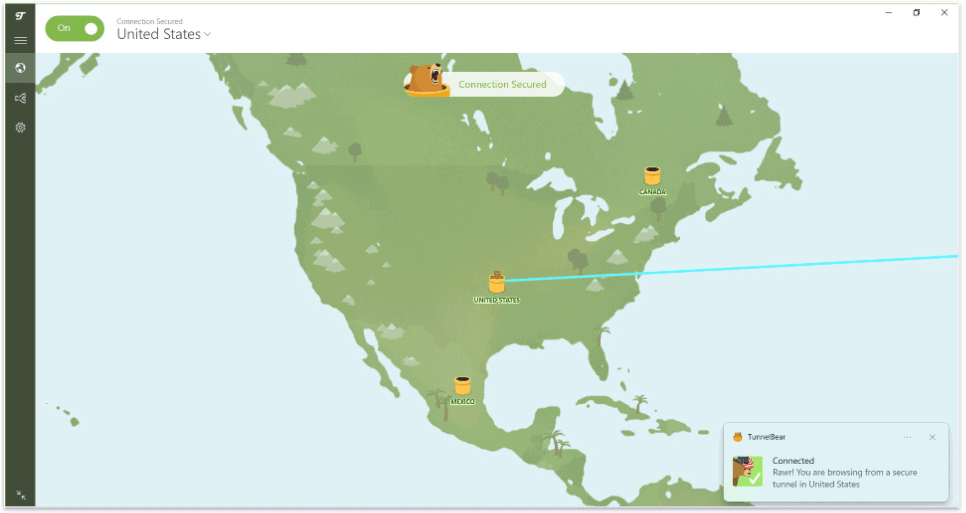
I spent a couple of weeks researching and testing TunnelBear to see whether or not it has good security, fast speeds, and intuitive apps. I also compared TunnelBear to other top VPNs on the market to see whether or not it’s a good value.
TunnelBear’s apps and website are filled with cute animated bears and bear puns. But don’t mistake TunnelBear’s light-hearted approach to design for a lack of seriousness when it comes to security, privacy, or performance.
TunnelBear is one of the most transparent VPN providers in terms of privacy; it comes with top-notch security features, and it conducts a full-scale independent audit every year. You don’t get a lot of extra features, but TunnelBear is very intuitive, easy to use, and fun, making it perfect for people who are new to VPNs.

TunnelBear Plans & Pricing — Competitive Prices & Decent Free Plan (But No Money-Back Guarantee)

TunnelBear offers a free plan and 2 paid subscriptions, starting at $3.33 / month for the 3-year deal. The 2 tiers are Unlimited (for individuals) and Teams (for businesses). Unlimited is available on a 1-month, 1-year, or 3-year deal, while Teams is billed monthly per user.
The free plan comes with all of the features of the premium deals, but you only get 2 GB per month — in my tests, this was enough for about a few hours of basic browsing to test out TunnelBear’s product.
If you’re looking for a good free plan, I recommend Proton VPN, which has the best free plan out there (you get unlimited data, access to servers in 5 countries, fast speeds, and strong security and privacy).
The Unlimited deal includes unlimited data and unlimited device connections, while the Teams plan comes with a dedicated account manager, unlimited data, unlimited connections, and centralized team billing and management.
TunnelBear accepts credit cards, but I was a little disappointed that TunnelBear doesn’t accept PayPal or cryptocurrency.
Also, TunnelBear is one of the few VPNs on the market that doesn’t include a money-back guarantee, but it will consider offering a refund on a case-by-case basis. Other top VPNs like ExpressVPN, Private Internet Access, and CyberGhost VPN all back every purchase with a money-back guarantee.
Here’s a quick overview of TunnelBear’s deals:
TunnelBear Features — Complete With Essential Security Tools
TunnelBear has the following standard VPN security features:
- 256-bit AES encryption. Used by militaries and government agencies worldwide, this type of encryption is one of the best encryption methods available (TunnelBear refers to 256-bit AES as Grizzly-grade encryption).
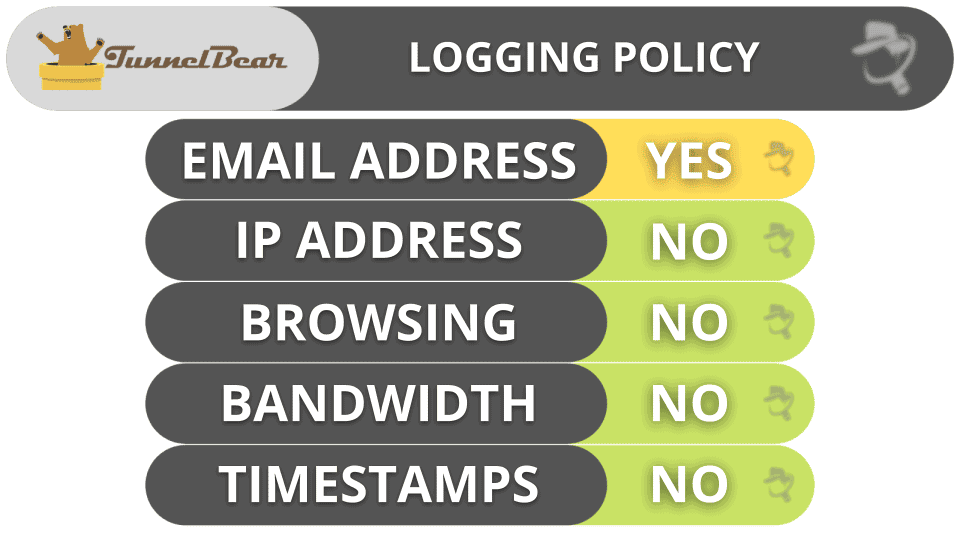
- No-logs policy. TunnelBear doesn’t store any of your personal data (the websites you visit, the files you download, or your IP addresses). TunnelBear provides an easy-to-understand and transparent privacy policy.
- Kill switch. This feature (called VigilantBear) shuts down your internet access if your VPN connection accidentally drops, and it automatically reconnects to a server once TunnelBear finds an internet connection (preventing any possible traffic and data leaks).
I also really like that TunnelBear has its own encrypted DNS servers to prevent DNS leaks, as well as built-in WebRTC and IPv6 leak protection. Unlike VyprVPN, which doesn’t have WebRTC protection and requires you to manually disable IPv6 traffic on your device, TunnelBear handles everything in the background, so you don’t have to take any action to protect your devices against leaks.

TunnelBear includes 3 internet protocols: WireGuard, OpenVPN, and IKEv2. This is great as all those protocols are really secure and fast.
- WireGuard. WireGuard is one of the best open-source VPN protocols. It’s the fastest on the market, and it’s very secure. What I really like about WireGuard is that it’s easy to audit due to its minimalistic codebase. WireGuard is available on every device that TunnelBear supports.
- OpenVPN. OpenVPN is a popular open-source VPN protocol that uses strong encryption and provides a good balance of speed and security, but it’s slightly slower than WireGuard. It’s available on all TunnelBear apps.
- IKEv2. IKEv2 is a fast and reliable VPN protocol that supports strong encryption, but it’s slower than the other protocols TunnelBear offers. It’s also not open-source. But if you need a super secure connection, you can use it on all TunnelBear apps, except for Android.
TunnelBear also has a TCP Override setting on macOS and Windows that forces the VPN to use the TCP tunneling protocol, which offers better performance on unreliable connections.
TunnelBear also has a handful of extra features, including:
- Split-Tunneling (SplitBear).
- Obfuscation (GhostBear).
- Encrypted SNI & ECH.
- Onion support.
- TunnelBear Blocker.
Split-Tunneling (SplitBear) — Available on Android, Windows, Mac & Even iOS
SplitBear is TunnelBear’s split-tunneling tool, which lets you choose which apps or sites use the VPN connection and which ones use your local network — depending on which device you’re using.
SplitBear is available on iOS, Android, Windows, and macOS. The Windows version lets you split-tunnel both apps and sites, the Android version only allows you to split-tunnel apps, while the iOS and macOS apps let you exclude websites (example: tunnelbear.com) and subdomains (ex: tunnelbear.com/pricing) from the VPN tunnel, which isn’t something a lot of VPNs offer.
I tested SplitBear and it worked really well. I connected to a US server to download a large file, and I routed Disney+ through my ISP. SplitBear allowed me to simultaneously maintain fast speeds for torrenting and watch my favorite TV shows and movies on Disney+ without interruptions.
Private Internet Access provides similar split-tunneling, but I think it’s better — that’s because it lets you split-tunnel apps and sites on Windows and other platforms, including macOS and Linux.

Overall, I’m happy with TunnelBear’s split-tunneling tool — it works really well and it’s available on all of its apps (even on iOS).
Obfuscation (GhostBear) — Good for Browsing on Restricted Wi-Fi Networks (School & Work)

GhostBear is TunnelBear’s obfuscation tool that masks your VPN connection from prying eyes, like your ISP, making it seem as if you’re browsing the internet without being connected to a TunnelBear server.
But make note that using GhostBear will slow down your internet speed a little bit because it adds extra encryption. In my tests, websites took an extra 5 seconds to load, and Netflix content had a bit of lag. While TunnelBear’s obfuscation tool is able to maintain decent speeds, I prefer ExpressVPN’s obfuscation feature, as it’s significantly faster.
Overall, I really like TunnelBear’s GhostBear feature. It’s very simple to use, and it has pretty fast speeds.
Encrypted SNI & ECH — Adds Extra Encryption on Android

TunnelBear supports 2 very secure TLS extensions on its Android apps: the Encrypted Server Name Indicator (ESNI) and the Encrypted Client Hello (ECH).
TunnelBear’s ESNI encrypts the Server Name Indication (SNI) field in your device’s internet requests. The SNI field, which reveals which server your device is trying to connect to, is usually unencrypted and can be used to block access to TunnelBear. By encrypting the SNI, TunnelBear’s ESNI makes it trickier for third parties to spot that you’re using a VPN. But, for this SNI to be encrypted, your web browser needs to support ESNI (if it doesn’t, it’ll just use the traditional unencrypted SNI instead). For now, you can enable ESNI on the Firefox browser.
TunnelBear’s ECH goes a step further. It encrypts the “Client Hello” message your device sends to the server it tries to connect to, which reveals what site you’re trying to visit. Since ECH encrypts this information, it makes it impossible for your ISP or a bad actor to see the websites you go to. Like SNI encryption, for ECH to work, it needs to be enabled, which you can do on Firefox, Edge, and Chrome.
The best part is that both of these features are already built into TunnelBear’s Android app, so there are no settings to tweak and no switches to flip — they protect you right out of the box.
Onion Support — Keeps Your IP Address Private While Browsing the Tor Network

TunnelBear supports The Onion Router (Tor) on most of its servers — all you need to do is connect to a TunnelBear server and then begin using the Tor network.
When connected to TunnelBear servers, your ISP won’t be able to see that you’re surfing the dark web, which is great, especially if you’re in a country that restricts internet access.
TunnelBear also keeps your IP address hidden from other Tor users (including the entry node) every time you browse the dark web via the Tor browser and if your IP address is leaked, Tor users will only be able to see the VPN’s IP address, not your real one.
TunnelBear’s Tor support is pretty good, but I slightly prefer NordVPN, as it allows you to browse the Tor network within regular browsers like Chrome and Opera.
TunnelBear Privacy & Security — Ultra Transparent About Not Storing User Data
TunnelBear has one of the most transparent and straightforward no-logs policies out there. I love how TunnelBear explains its Privacy Policy in easy-to-understand terms instead of with complex and vague language like most other VPNs — TunnelBear has charts that show what data it collects and provides an explanation as to why it collects the data. TunnelBear claims that it strives to collect the minimum amount of information required to operate its service — it only stores your email address (to communicate with you) and payment information (to process refunds and for fraud prevention).
TunnelBear has also conducted an independent audit every year since 2017 for holes in its code, infrastructure, website, and apps, and it published the findings of each audit on its website.
TunnelBear is based in Canada, which is part of the 5/9/14 Eyes Alliances (an intelligence-sharing agreement between various countries). But if Canada’s government requested user data, TunnelBear wouldn’t have any to turn over because the VPN doesn’t store user data.
Overall, TunnelBear has a transparent and strict no-logs policy that’s been audited multiple times and an easy-to-understand Privacy Policy. TunnelBear also backs up its no-logs policy with a transparency report that is released each year.
TunnelBear Speed & Performance — Consistently Fast Across All Servers
I ran speed tests in all 47 countries where TunnelBear has a server to determine its average internet VPN speed. The average decrease in download speed from my baseline speed was about 42%, which is pretty good — I maintained good speeds for browsing, watching videos and streams, making Voice over IP (VoIP) calls, and torrenting on most servers.
I started my tests by establishing my baseline speed while connecting to my local network:

Next, I used TunnelBear’s Fast Connect tool to connect to the fastest server, and TunnelBear connected me to a server in New York. My download speed decreased by 10%, which is pretty good for a local VPN server. My internet activities were barely affected — I browsed the internet, streamed content on Netflix, and had a 2-hour Zoom call without any glitches.
Then I tested a server in Germany, and my download speed was actually faster in Europe than in the US! My speed drop was only a meager 5%, and I surfed the web, played video games, and downloaded files almost as if I wasn’t connected to a VPN.

Finally, I connected to a server in Australia (one of the furthest servers from my location). TunnelBear reduced my speed by 80%, which significantly affected my online experience — for example, websites took 5-7 seconds to load.
Overall, TunnelBear had really fast speeds on most servers, including local servers (the US) and servers located in Central and South America and Europe. I only experienced significantly slower speeds connected to very distant servers in Australia and New Zealand.
TunnelBear Servers & IP Addresses — Smaller Network Than Top Competitors

TunnelBear has servers in 47 countries. The number of countries is smaller than a lot of the top VPNs like ExpressVPN (105 countries), CyberGhost VPN (100), and Private Internet Access (90), but TunnelBear does a good job of spreading out its server locations all over the world, so most users can either connect to a server in their own country or one that is relatively close (to get better speeds).
But it’s a shame that TunnelBear doesn’t provide helpful server metrics, like the server load percentage (how many active users are connected to a server) or latency, which shows how long it takes for the internet signal to travel from your device to the VPN server.
That said, I really like that TunnelBear supports torrenting on all of its servers — this allows you to connect to a local server to get the fastest speeds. There are VPNs (like Surfshark and CactusVPN) that have a limited number of dedicated P2P servers, which could make it hard to find a nearby server.
Unfortunately, TunnelBear doesn’t offer dedicated IPs. If you’re looking for a VPN that has dedicated IPs, Private Internet Access and CyberGhost VPN offer them for a small additional cost, while PrivateVPN provides dedicated IPs for free.
While TunnelBear is only located in 47 countries, the servers are spread out pretty well all over the world.
TunnelBear Streaming Support — Works With Most Top Sites
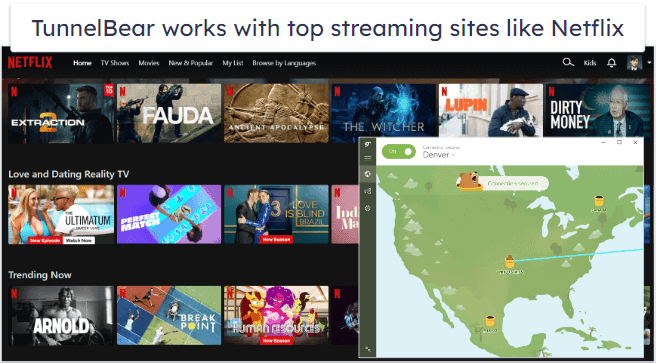
TunnelBear is good for streaming — it supports streaming across all of its 8,000+ servers in 47 countries.
TunnelBear works with popular sites like Netflix, Amazon Prime, and Hulu — as well as less-popular streaming sites like Pluto TV, CBC (in Canada), and more. That said, I was disappointed to find that it doesn’t work with Disney+, BBC iPlayer, or ESPN+.
But I think it’s great that it works well with different Netflix libraries such as in the US, UK, and Canada.

All in all, TunnelBear has really good streaming support. It works consistently with Netflix, Hulu, Amazon Prime Video, and more. Unfortunately, TunnelBear doesn’t work with Disney+, BBC iPlayer, or ESPN+.
TunnelBear Torrenting Support — Compatible With Tons of Torrent Clients
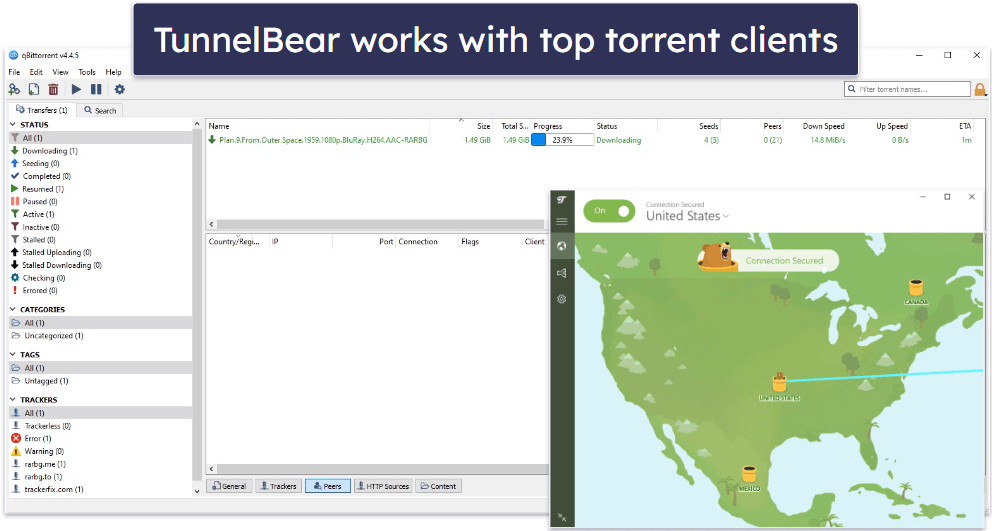
TunnelBear is great for torrenting — it allows P2P traffic in all locations, but it recommends connecting to a server in Canada, the US, UK, Romania, the Netherlands, Germany, or Sweden if you encounter problems downloading files in other countries.
In my tests, I didn’t have any trouble downloading P2P files from any location, and TunnelBear worked with all of the top torrenting clients like qBittorent, BitTorrent, Deluge, and others (qBittorent provided the fastest download speeds for me).
I also ran leak tests while connected to 10+ TunnelBear servers, and fortunately, all of them came back with 0 leaks. My only complaint is that TunnelBear doesn’t include port forwarding (which provides faster speeds).
Overall, TunnelBear supports torrenting on all of its servers and has great security features for safely sharing P2P traffic.
TunnelBear Gaming Support — Provides Good Ping + DDoS Protection
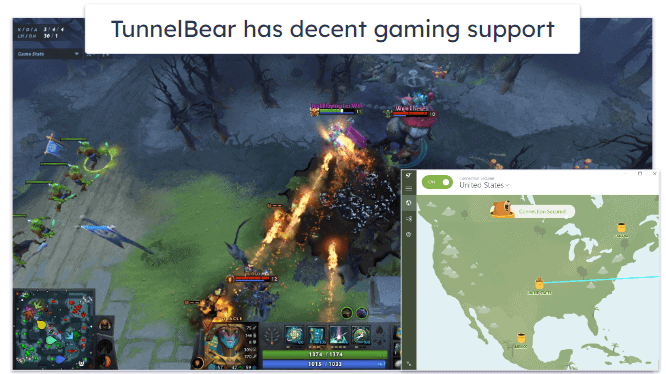
TunnelBear is a decent option for gaming. I played a couple of rounds of DOTA 2 to test it, and I was overall happy with my speeds.
TunnelBear maintained a stable ping on local servers, my speeds were fast, there wasn’t any significant lag, and an update of 1 GB took about 2–3 minutes to complete.
When I connected to more distant servers, I experienced a higher ping. That same update took 6–7 minutes to finish, and I had some lag in my games, but it was minor and didn’t get in the way of my game.
TunnelBear protects you from Distributed-Denial-of-Service (DDoS) attacks, which cut your connection to the internet. It offers anti-DDoS protection on all of its servers, which means that if someone tries to DDoS your connection to TunnelBear, they’ll fail.
But I think there are better VPNs for gaming, like ExpressVPN, which is the best gaming VPN on the current market — it maintains lower ping on both nearby and distant servers, has a dedicated router app so you can play on your gaming consoles while connected to the VPN, and comes with cloud gaming support.
TunnelBear Bypassing Censorship — Accesses an Open Internet in Restrictive Countries
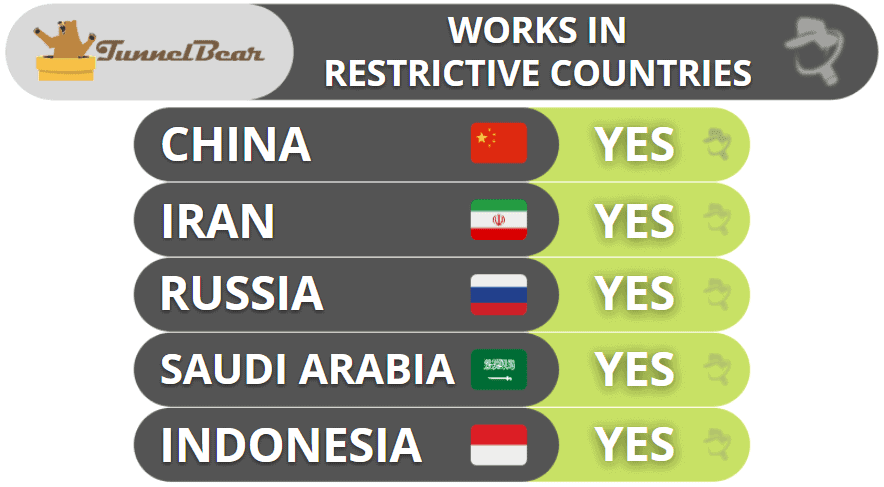
TunnelBear uses the GhostBear tool to overcome censorship on the internet. It claims that it works in restrictive countries like China, Iran, Russia, Saudi Arabia, and Indonesia.
TunnelBear Ease of Use: Mobile & Desktop Apps — Simple & User-Friendly
TunnelBear includes apps for Android, iOS, Windows, and macOS, and it also has browser extensions for Chrome, Firefox, and Opera.
I had no issues installing TunnelBear’s apps. It only took me 1–2 minutes to do it on my Android and iOS smartphones, and 3–4 minutes on my Windows 10 PC and MacBook.
How to Install TunnelBear (Just 3 Simple Steps):
- Sign up for TunnelBear. Pick your favorite offer and create an account.
- Download and install its apps. Follow the on-screen instructions. This shouldn’t take more than 1–2 minutes.
- Open the VPN app. Connect to a server with 1 click and start browsing securely.
Android — Uses Animated Bears + Allows 1-Click Connections

TunnelBear’s Android app is my favorite TunnelBear app — it’s feature-rich, really well-designed, and easy to use (it took me about 1 minute to get used to).
I love how simple it is to use TunnelBear’s Android app. You can connect to a server with one tap by using the Fastest server option. To manually select a server, just tap on the small arrow at the bottom of the screen, which then displays all of TunnelBear’s server locations, or tap on a designated country that is indicated by a small jar of honey on the world map. The best part is that when you connect to a server, a bear digs a tunnel from your current location and pops up out of a jar of honey in the country that you connect to (the bear also lets out an adorable roar)!
I also really like that the Settings tab has a clear layout, which makes it very simple to navigate. Once you click on the cogwheel in the top right corner, TunnelBear lists all extra features you get with the Android app, including VigilantBear (kill switch), GhostBear (obfuscation), SplitBeat (split-tunneling), and the option to manually select your preferred protocol. You can also turn on notifications from TunnelBear and enable Bear Sounds (because why not?).
Unlike the desktop apps, TunnelBear’s Android app doesn’t have convenient connection options like automatically launching when your device starts or adding trusted networks that TunnelBear will automatically connect to.
Otherwise, it’s a lot of fun to use TunnelBear’s Android app. It includes a lot of features, it’s easy to navigate, allows for quick connections, and an animated bear roars each time you secure your connection.
iOS — Secure but Limited Features

TunnelBear’s iOS app is pretty good. The iOS app is missing GhostBear, but I like that it comes with VigilantBear, as not a lot of VPNs offer a kill switch on their iOS apps.
I also like that TunnelBear’s iOS app includes the SplitBear (split-tunneling) feature, but you can only choose which websites and subdomains to exclude from your VPN connection — you can’t exclude apps. This is beyond TunnelBear’s control, however, as iOS doesn’t support app-based split-tunneling.
The iOS app’s design is basically an exact replica of the Android app, and because there are fewer features, it’s even easier to navigate than the Android app. Also, the iOS app includes the bear roar when you connect to a server, and there’s a cute option that allows you to change the app’s icon on your device.
There are better iOS apps out there that have more features, but TunnelBear’s iOS app is user-friendly, and it does have those cute bears!
Windows/Mac (Desktop) — Cute Interface & Easy to Navigate
TunnelBear’s desktop apps are nearly identical to the mobile apps, and not surprisingly, I also really like both the Windows and Mac apps. They have an intuitive interface, and you can connect to the fastest server with 1 click.
Like with the mobile apps, it’s easy to manually find a server — just click on the drop-down arrow next to the on/off slider to get a list of countries, or simply click on a jar of honey in a country on the map. Sadly, the bear doesn’t roar once you’re connected on the Windows or Mac apps, but your connection is confirmed with a bear wearing a hat that resembles that country.

Unlike the mobile apps, the Windows and Mac apps let you enable TunnelBear to launch on startup, enable notifications if you connect or disconnect from the VPN server, and receive an alert if an unsecured network is detected. Like the iOS app, the desktop apps allow you to automatically disable TunnelBear on trusted Wi-Fi networks.
And both apps have split-tunneling, though I like it better on Windows because it lets you split-tunnel both apps and sites — on macOS, you can only split-tunnel websites.
However, it can be confusing that the Mac app has two different control windows. The main app that opens after download only controls your server connection. You’ll need to open the second control panel from the top menu to control all settings and features. If you don’t know to look for it there, it’s easy to think the Mac app doesn’t have any features.
Overall, TunnelBear has good desktop apps — they’re user-friendly, have a fun interface, and come with a good set of features.
Browser Extensions (Chrome & Firefox) — Minimalistic & Missing Extra Features

TunnelBear’s browser extensions are fun and simple to use, just like its apps. Adding them to your browser, Chrome or Firefox, doesn’t take more than 1–2 minutes, and it only takes a couple of clicks to connect to a server location. I was happy to see that they feature the TunnelBear map, but it was a little disappointing that you can’t click on it.
TunnelBear’s browser extensions give you access to all servers in 47 countries. I was surprised to see this since there are many top VPNs whose extensions only give you access to a couple of locations.
The extensions are very simplistic, which is great for VPN beginners. There are a couple of extra features, including split-tunneling, GhostBear, and the kill switch, VigilantBear. If you want more advanced settings, I recommend ExpressVPN and Private Internet Access’s browser extensions, which come with more security features.
TunnelBear’s Apps: Is TunnelBear Easy to Use?
TunnelBear no doubt has some of the most intuitive apps on the market. They are all well-designed and have a simple interface that takes about a minute or two to get used to. The Android app is the best one because it has the most features, but the iOS, Windows, and Mac apps are also very good.
TunnelBear Customer Support — Good Guides & Email Support (Lacks Live Chat)
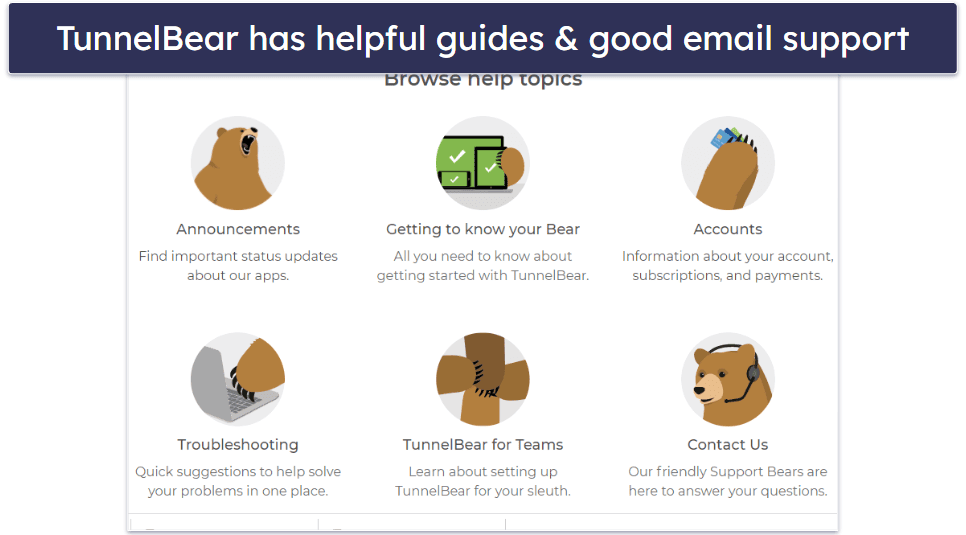
TunnelBear’s Help section is well-stocked with guides and frequently asked questions (FAQs), important updates, an email portal, and a search function (featuring a cute bear typing as you input your question). However, it lacks a 24/7 live chat service.
I really like the support guides, which are neatly organized into 3 categories: Getting to know your Bear, Accounts, and Troubleshooting. Inside each category are sub-categories — for example, Getting to know your Bear has individual sections for Setup Guides, FAQs, Privacy and Security, and Features. The guides are pretty thorough, and I found most of the answers to my questions either inside the guides or through the search option. However, some are outdated by several years.
TunnelBear’s email support is good. I received replies to my emails within 1-2 hours during TunnelBear’s office hours in the US, but when I emailed support during off-hours, I didn’t receive a reply until the next morning. Each response was personal, friendly, and provided me with a solution to my issue or question.
But I really wish TunnelBear had 24/7 live chat (like ExpressVPN, CyberGhost VPN, and PrivateVPN). While the email response is usually fast, it doesn’t beat the help you get in real time with knowledgeable live chat reps. I hope TunnelBear launches a 24/7 live chat option in the future. There is a live chatbot for real-time help, but it doesn’t seem to have much information and can’t answer really basic inquiries like split-tunneling.
Overall, TunnelBear’s support isn’t great, but it’s still pretty good. I really miss the live chat, but the email response time is good as long as you contact support during working hours.
What TunnelBear Can Do Better — Add a Refund & Live Chat + Improve Streaming & Boost Server Network
TunnelBear is a really good VPN, but it doesn’t have everything. I’d like to see improvements in customer support, streaming, its pricing model, and its server network.
First, and perhaps my biggest complaint, is that Tunnelbear doesn’t have a money-back guarantee. Even though there’s a free plan, it only offers 2 GB of data per month, which isn’t enough to fully test out the app. Most of the top VPNs include at least a 30-day money-back guarantee — CyberGhost VPN offers one of the best ones with a 45-day refund window.
Second, TunnelBear does not have live chat. It has a chatbot, but it’s not a good replacement for an actual person. Even though I had a good experience with email support, and the resources on the website are helpful, a lot of people (myself included) rely on live chat for quick answers and solutions in real-time.
Moreover, TunnelBear’s streaming support is great overall, but it doesn’t work with a couple of popular platforms like ESPN+, BBC iPlayer, and Disney+. My favorite VPNs (like ExpressVPN and CyberGhost VPN) work with these platforms and dozens of others.
Finally, its server network only has servers in 47 countries, which is much less than top VPNs like CyberGhost VPN, ExpressVPN, and Surfshark, all of which have servers in over 100 countries.
These issues aren’t dealbreakers, in my mind, but they would all be good additions that will hopefully be added in the future.
Is TunnelBear One of the Best VPNs in 2026?
TunnelBear is secure, pretty fast, has a fun interface, and is really easy to use. Plus, TunnelBear works with a lot of streaming websites like Netflix, Amazon Prime Video, and Hulu, is P2P-friendly, and works in restrictive countries like China and Iran.
In my speed tests, TunnelBear wasn’t the fastest VPN, but I was still impressed with the fast speeds TunnelBear provided on local servers (in the US) and even in Europe and Central and South America. I had an average decrease in download speed of 42%, which is above average. Thanks to TunnelBear’s good speeds, I was able to make VoIP calls that didn’t freeze, download large files fast, watch videos, and browse the internet with mostly only minor delays.
TunnelBear has excellent security and privacy features. It protects your data with 256-bit AES encryption, a kill switch, and a strict no-logs policy (that has been independently audited). TunnelBear also publishes an annual transparency report that proves it didn’t provide any user data to the government or law enforcement.
While I’m a big fan of TunnelBear, it has some drawbacks. TunnelBear doesn’t work with Disney+ and some other popular platforms, lacks 24/7 live chat, and there’s no money-back guarantee.
Otherwise, TunnelBear is one of the best and most user-friendly VPNs on the market. TunnelBear allows unlimited connections with one account and offers 3 affordable subscriptions.
Frequently Asked Questions
Is TunnelBear free?
TunnelBear has a free plan, but it’s not very good. You only get 2 GB per month, which is only enough to browse the internet for a few hours. But TunnelBear’s free plan is decent if you just want to test out the VPN — it gives you access to all of the features of the premium deals. TunnelBear’s free plan lets you connect unlimited devices and allows you to connect to a server in all of TunnelBear’s 47 countries.
I usually don’t recommend that you use a free VPN because many of them aren’t safe, may keep logs of your online traffic and files you download, set a limit on your data, and have slow speeds. But if you’re looking for the best free VPN, I recommend Proton VPN, which allows unlimited data and bandwidth and maintains good speeds.
Does TunnelBear work in China?
Yes, TunnelBear’s customer support team confirmed that it works in China and other restrictive countries like Iran. TunnelBear’s obfuscation tool (GhostBear) is very good at masking your VPN connection, making it seem as if you’re browsing the internet without a VPN.
What is GhostBear in TunnelBear?
GhostBear is TunnelBear’s name for its obfuscation feature. Obfuscation is a tool that makes your traffic look more regular. GhostBear doesn’t slow down your speeds too much, and it’s really simple to use — all you have to do is toggle the switch in the settings menu.
What is VigilantBear in TunnelBear’s app?
VigilantBear is TunnelBear’s kill switch feature. This feature disconnects you from the internet when your connection to the VPN server drops to prevent any accidental leaks that might reveal your IP address.
Does TunnelBear support torrenting?
Yes, TunnelBear supports torrenting across all of its servers in 47 countries. The VPN works with all popular torrent clients, like Vuze, Deluge, Bittorrent, and qBittorrent, and it comes with excellent security features for P2P file sharing, including full leak protection and a kill switch that prevents any accidental IP leaks.
How many devices does TunnelBear allow?
TunnelBear allows unlimited simultaneous connections, including on its free plan, so you can install it and use it on as many devices as you want. This makes TunnelBear a great pick if you live in a large household. When I tested it, I had my entire family connect to 11 devices in total, and TunnelBear maintained stable connections on all devices at once.
Is TunnelBear good for streaming?
Yes, TunnelBear has decent streaming support. It has good speeds for streaming, and it works with streaming giants like Netflix, Amazon Prime, and Hulu. The only popular sites it’s not compatible with are Disney+ BBC iPlayer, and ESPN+. The good news is that it also works with less popular apps and websites like Pluto TV.